
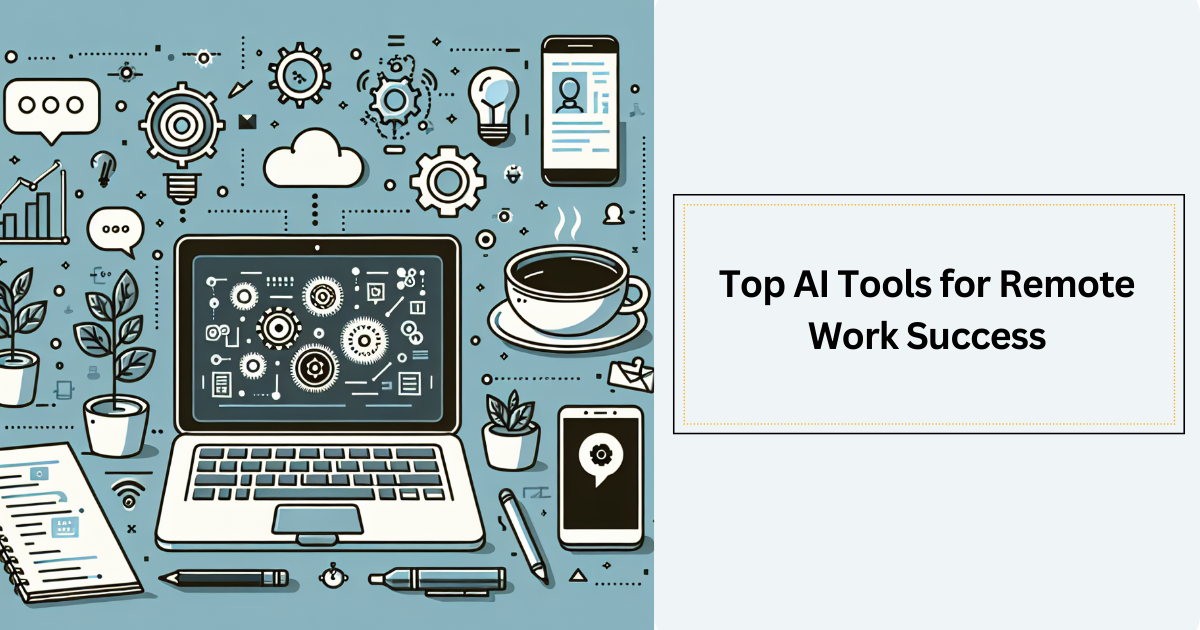
Remote work is becoming a big part of how many people do their jobs, but it can come with challenges. It’s not always easy to stay connected or manage time well when the usual office buzz isn’t around. That’s where AI remote work tools step in. They can handle repetitive tasks, organize meetings, and even help with research or writing. Whether it’s a tool that listens and writes meeting notes or one that plans your day for you, these clever apps help boost productivity and make teamwork smoother. Let’s take a friendly walk through some of the best AI tools for remote work and see how they can brighten your workday.
Why Using Smart Tools Can Make Remote Work Feel Easier
Working remotely means you don’t have a coworker sitting next to you to ask quick questions or a manager popping by to check in. It can sometimes feel like juggling a lot at once. AI remote work tools help by managing small tasks behind the scenes so you can focus better. These tools are like little robots that do the busy work for you.
For example, they can remind you about deadlines or schedule your meetings at the perfect times. They can also help your team communicate more clearly, even when everyone is logging in from different places. Since more than 20% of workers in the U.S. now work remotely, having these AI helpers is becoming a must-have for keeping things running smoothly. When AI handles the routine stuff, it lets you spend your energy on the important parts of your work.
Letting AI Take Over Research and Information Searching
One of the most time-consuming parts of work is finding the right information. Reading through long documents or searching for answers can feel like looking for a needle in a haystack. Imagine if you had a tool that quickly reads those documents for you or finds the answers in seconds.
Tools like Perplexity and Humata do just that. Perplexity is like a smart search engine that not only finds information but also shows where it came from to help you trust what you read. It gives clear, easy-to-understand answers from many sources all in one place. Humata is a helper for big documents like PDFs. It can summarize the main points, compare different files, or find specific details inside long texts.
These intelligent research assistant tools save time and reduce the hassle of digging through information. If you often work with reports, technical papers, or lots of data, these AI remote work tools make researching faster and give you better insights to make decisions confidently. For more on how AI is transforming business approaches, see our post on AI-powered websites for business in 2025.
How AI Can Help You Manage Your Tasks and Time
Managing tasks when you work remotely can feel like spinning plates. Without someone nearby reminding you, it’s easy to forget or get overwhelmed. AI remote work tools for task management act like a personal planner that doesn’t just hold your to-dos but plans your whole day for you.
Apps like Motion and Reclaim AI are great examples. Motion automatically organizes your tasks by importance and deadlines, fitting them perfectly into your calendar. You just tell it what to do, and it finds the best time for it, even allowing you to add tasks by voice or email. Reclaim AI focuses on keeping a good balance. It schedules your work as well as personal time, making sure you have space to relax or exercise, avoiding burnout.
Using AI tools for time management can lighten your mental load. Instead of worrying about where the day went, you spend more time doing important work and less time juggling calendars. For teams, these tools also help coordinate tasks smoothly, so everyone knows who’s doing what and when.
Making Meetings More Useful with AI Helpers
Meetings are part of remote work life but can often feel tiring or unproductive, especially when you’re scribbling notes or trying to remember action points. AI remote work meeting assistants change that by taking notes, transcribing conversations, and even summarizing key ideas automatically.
Otter.ai and Fireflies.ai are two popular meeting assistant tools. Otter.ai listens during your meetings and writes down what everyone says in real time, including who said it. After the meeting, you get easy-to-read notes and can assign tasks directly from the transcript. Fireflies.ai goes a step further by analyzing conversations over time, spotting themes, and helping track ongoing projects.
These AI meeting transcription features free you from note-taking and allow you to focus on the discussion. They make meetings more inclusive and accountable since everyone can review what was decided and who is responsible for each task. For remote teams, this clarity boosts collaboration and helps keep projects moving forward.
Creating Content and Designs Quickly with AI
Sometimes, creating presentations, reports, or social media posts can eat up a lot of time, especially when you want them to look great and sound professional. AI remote work tools for content creation and design are like creative partners who jump in to help you craft ideas fast.
Gamma is one of those tools that generates presentations and documents using AI. You don’t need to be a designer or coder; just share your ideas, and Gamma builds a polished slide deck or web page. Jasper is another friendly AI writer that can draft blogs, ads, or social posts, matching your brand’s voice and even optimizing for search engines if you want.
For visuals, Runway helps with video editing and creating images, while Julius AI turns data into attractive and easy-to-understand graphs with simple commands. These tools speed up creating content and keep your work consistent and eye-catching without the usual hassle. Relatedly, to explore the latest trends in video content creation, check out our insights on AI video editing tools for 2025.
Getting Your Documents and Media in Shape Effortlessly
Handling documents, audio, or video files can be slow and tricky for remote workers, especially without a big team. AI remote work tools like Notion AI and Descript step in as smart assistants to make these jobs quicker and simpler.
Notion AI helps by drafting content, summarizing long documents, or even brainstorming new ideas directly within the Notion workspace. It supports keeping your files organized and automates routine tasks, lightening your workload. Descript makes editing audio and video as easy as editing a text document. It can transcribe recordings, remove filler words like "um" or "uh," and even clone voices for fixes without re-recording.
These tools reduce the time spent struggling with files and let you manage your documents and media smoothly, freeing up your time for the creative or strategic parts of your work.
Keeping Messages and Chats Organized Without Stress
Remote work means juggling emails, chats, and messages across many platforms. Switching between apps wastes time and causes confusion. That’s where AI-powered unified communication platforms come to the rescue.
Texts.com gathers messages from places like LinkedIn, Instagram, and Slack into one inbox. It even helps draft replies or summarize conversations with AI so you don’t have to write from scratch. Missive lets teams manage emails together, chat inside the email tool, and use AI to draft or translate messages quickly.
Arc Browser is a smart web browser that organizes tabs and bookmarks using AI, making research easier and reducing the mess of too many tabs. These tools cut down on app switching, help you focus, and improve communication flow, all key to remote work productivity.
Learning and Growing While You Work Remotely
Remote work doesn’t mean your learning stops. In fact, AI remote work tools can help you make learning part of your day, even when you’re busy.
Recast turns articles into conversational audio summaries you can listen to. Speechify reads documents aloud at different speeds in many languages, perfect for absorbing information on the go. DictaAI provides transcription services which make meetings and talks easy to search and analyze later.
With these tools, remote workers can learn while walking, commuting, or doing chores. They make continuous improvement easier and help you stay informed without losing valuable work time.
Automating Repetitive Tasks to Focus on What Matters
Automation is a big part of why AI remote work tools are so powerful. Julius AI helps analyze complex data by just asking questions in natural language, even making animated charts. Zapier’s AI integrations connect different apps and automate workflows, like sending reports or updating task boards automatically.
By automating these routine processes, you save time and avoid mistakes. This lets you concentrate on creative and important work, making your remote days more productive and less stressful.
Helping Teams Connect and Work Better Together
Working remotely means you can miss out on the small moments that build team spirit. AI steps in to help by improving virtual collaboration and keeping everyone engaged.
Features like meeting summaries, smart topic labels, and live captions help meetings stay clear and inclusive. AI can also spot if someone is overloaded, disengaged, or if meetings are out of balance. Tools that track participation make sure every voice is heard, and no one feels left out.
Starting with small AI tools and growing their use slowly helps teams adjust naturally. It’s about bringing everyone together even when they’re apart, making collaboration feel easier and more rewarding.