
Working from home isn’t always easy, especially when your IT team is spread out all over the place. Have you ever felt like your remote team is juggling too many tools or missing important details because everyone’s in different time zones? It can be challenging to keep communication smooth and tasks organized when you're not all sitting in the same room. That’s where AI remote collaboration tools come in—they use smart technology to help teams work together better, no matter where they are.
AI remote collaboration means using artificial intelligence to make teamwork easier. These tools help by automating tasks, boosting communication, and helping everyone stay on track. For IT teams working remotely, this can be a real game-changer. Imagine having a helpful assistant who never sleeps, always making sure that meetings get the right notes, tasks go to the right person, and that language barriers disappear with real-time translations. The good news is that studies show remote teams using AI tools spend much less time on annoying interruptions and more time doing deep, focused work. That extra time can mean faster project completions and less stress.
In this post, we’ll explore how AI remote collaboration tools help remote IT teams stay productive, how they work, and even which tools are popular right now. Whether you’re new to remote work or looking to make your team more efficient, these simple ideas will help you understand the benefits and make your team shine.
How AI Makes Remote IT Teamwork Feel More Like Being in the Same Room
Working remotely means you often lose some of the easy ways people connect face-to-face. Your IT team might deal with different time zones or struggle to keep conversations clear. AI can step in like a helpful guide that organizes your work behind the scenes.
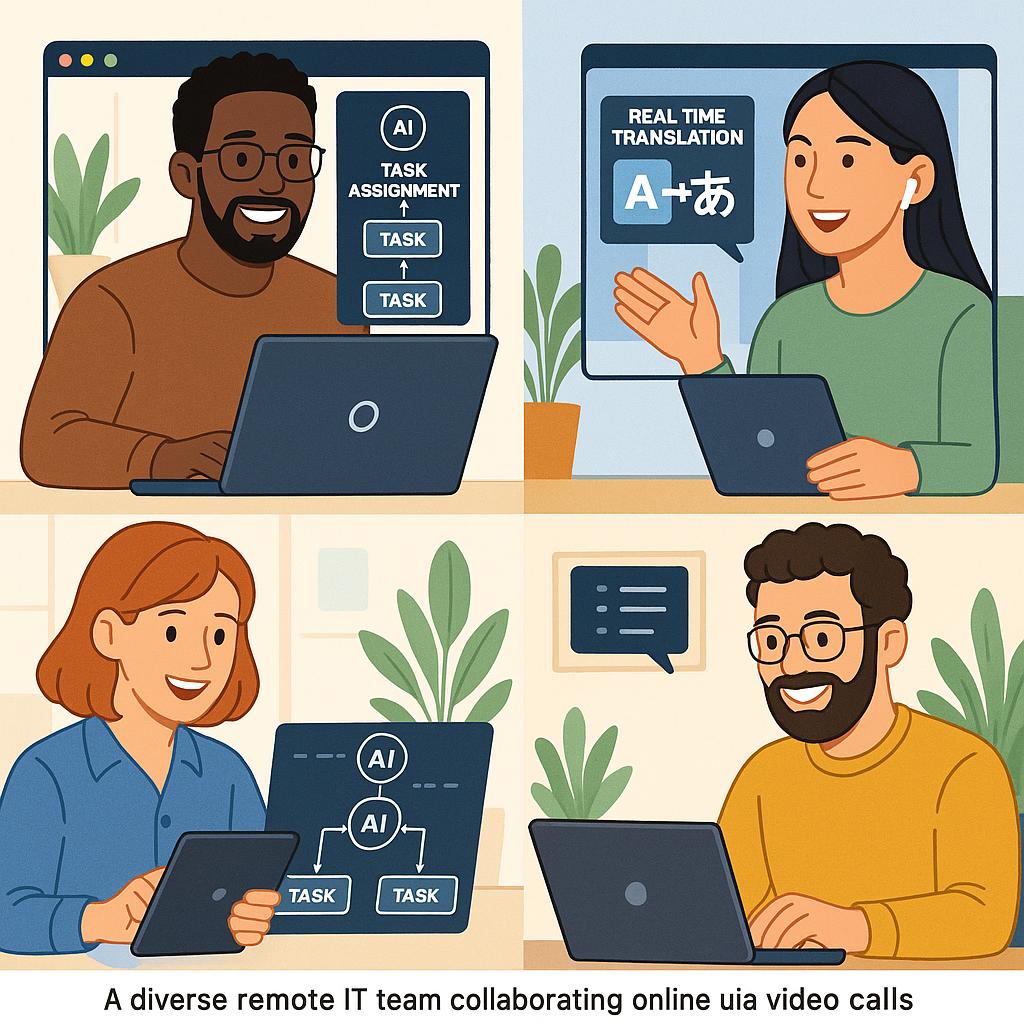
AI remote collaboration tools use smart features that help with things like assigning the right tasks to the right team members automatically. Instead of a manager spending time figuring out who should do what, AI looks at everyone’s workload and skills to share the tasks fairly. This means less confusion and fewer mistakes.
Sometimes people on a remote team speak different languages, which can make chats slow or confusing. AI tools include real-time translation, so team members understand each other instantly, as if they were in the same office speaking the same language. It’s like having a translator that never misses a word.
Another big help AI offers is turning meetings into easy-to-read notes and summaries. Not everyone can attend every meeting, but with AI, they can catch up later quickly without digging through hours of recordings. This keeps the whole team on the same page.
AI tools also keep track of project progress automatically, sending reminders and updates so no deadlines sneak up. This way, IT teams avoid the stress of juggling too many moving parts and can focus on solving tough problems instead of chasing paperwork.
What Features of AI Collaboration Tools Make Remote IT Teams More Productive
AI remote collaboration isn’t magic — it’s smart technology doing specific jobs well to save time and reduce mistakes. Here are some ways these tools help IT teams:
Smart Task Assignment That Feels Like a Personal Assistant
Imagine if someone knew exactly what you’re best at and when you have free time, then handed you a task that fits perfectly. That’s what AI does in tools like Asana or Trello with their AI features. They watch who’s busy and who can take on new work, then assign tasks so nothing falls through the cracks.
This kind of smart help reduces back-and-forth emails and keeps projects moving on time. When everyone gets the right assignment, the team wastes less time figuring out “who does what” and more time actually doing it.
Better Chat and Real-Time Language Help
Remote IT teams often rely on chat apps like Slack or Microsoft Teams to talk daily. AI powers chatbots that can answer questions instantly or remind the team about important deadlines. For teams spread across different languages, AI translates chats as they happen, breaking down communication walls.
This makes collaboration smoother. Instead of waiting for someone to clarify, AI helps by suggesting clearer messages or automatically showing meeting notes, so nobody feels lost or left out.
Meeting Notes That Write Themselves
Taking notes during meetings can be tricky. People get distracted or miss important points. AI tools like Microsoft Teams Copilot listen to your meeting and create clear summaries afterward. They highlight decisions made and action items assigned.
You can even search these notes later if you forget what was said. This turns chaotic meetings into organized records without extra effort, saving time and improving follow-up. To learn more about how AI enhances meeting productivity and streamlines workflows, check out our detailed post on AI-powered tools transforming business.
Helping Teams Figure Out What to Do First
Managing a project with lots of tasks means deciding what’s urgent and what can wait. AI tools help prioritize by looking at deadlines, dependencies, and impact. They suggest a clear order of work so IT teams can avoid overload and focus on what really matters.
This kind of guidance helps teams plan smarter days, cutting down on stress and helping them hit goals faster.
Keeping Teams Connected, No Matter the Time or Place
Working remotely across the world means people start and end their days at different times. AI tools help by sending alerts about urgent issues and highlighting important documents. Real-time translation and smart notifications keep team members connected without needing to check everything all the time.
It’s like having a watchful team member who keeps everyone informed, so important tasks don’t fall through the cracks just because of a time difference.
Why IT Teams Love Using AI Remote Collaboration Tools
There are plenty of reasons why AI tools have become a favorite for IT teams working remotely. First, AI helps cut down interruptions, a huge boost since studies show remote workers save hours by working with fewer disruptions. Less switching between tasks means more focus and better quality work.
AI also saves money. Remote work already cuts office costs, and AI boosts those savings by automating repetitive tasks like scheduling or note-taking. This lets teams get more done with fewer people burned out or overwhelmed.
Communication improves because AI translates languages and creates summaries, reducing misunderstandings that waste time. When everyone understands each other clearly, projects roll ahead faster.
People enjoy their jobs more when they spend less time on boring busywork. AI gives IT pros more chances to work on challenging, creative tasks, which keeps morale high and helps companies keep talented people around.
Security is a big deal for remote IT teams. Good AI tools come with strong protections, making sure team chats and documents stay safe. This gives everyone peace of mind, so they can focus on work instead of worrying about hacks or compliance issues.
Finally, AI frees IT professionals to spend their energy on strategic projects, innovations, and fixing big problems. Taking routine admin off their plates means they do what they do best—make technology work smarter for the whole company.
What Are Some Popular AI Tools Remote IT Teams Are Using Today?
There are plenty of AI collaboration tools designed with remote IT teams in mind. Here are some popular names and why teams pick them:
- Microsoft Teams with AI Copilot is great for its seamless meeting summaries, task tracking, and real-time translations. It fits right into Microsoft 365, so teams already using Outlook and SharePoint find it handy.
- Slack offers AI chatbots that help with quick replies and summarizing long conversations, keeping channels tidy and projects clear.
- Project management apps like Asana and Monday.com use AI to assign tasks intelligently, update timelines, and predict delays, helping keep IT workflows smooth.
- Dialpad's AI features shine with smart call notes and transcriptions, making remote meetings more productive and follow-ups easier.
- Hubstaff combines AI-driven productivity tracking and analytics, so managers get insights into how remote teams spend their time, spotting opportunities to improve focus and efficiency.
How Teams Can Make the Most of AI Remote Collaboration Tools
To get the best from AI tools, it’s important for teams to take it step by step. First, understand what challenges your team has—whether it’s communication, task management, or meeting overload. Then pick AI tools that fit your existing setup and security needs.
Training is key. Everyone should feel comfortable using the new tools without it feeling like a chore. When AI is seen as a friendly helper, not a boss, teams adopt it faster.
Keep data security front and center. Choose tools that protect team info and comply with industry standards. Set clear rules on how AI is used, so everyone trusts the system.
Finally, encourage your team to give feedback and track how AI improves productivity. This way, you make continuous improvements and keep the human side of work strong alongside technology.
Working with AI should feel like a partnership, where technology takes care of small tasks so your remote IT team can tackle the big, exciting challenges together.
AI remote collaboration tools are changing how IT teams work from afar. They help teams communicate better, organize tasks smarter, and get more done with less stress. These tools are like having a smart assistant that never quits, making sure no detail slips through the cracks and everyone stays connected, no matter where they are.
If your team struggles with remote work challenges, consider exploring AI tools designed for collaboration. Start small, learn together, and watch how the extra focus and smoother workflows can boost productivity and satisfaction. After all, when tech helps take the load off, people can shine brightest doing what they love—creating, fixing, and innovating.
Now is a great time to bring AI into your remote IT teamwork. It’s more than just tools; it’s a way to stay connected, efficient, and happy in a world where the office isn’t always a place but a feeling of working together well.